ABM
LinkedIn Ads
Account Based Marketing on LinkedIn Ads: The Step-by-Step Guide
How to structure your first ABM campaign on LinkedIn - account lists, funnel stages, budget splits, and the landing page strategy that most teams skip.
How to structure your first ABM campaign on LinkedIn - account lists, funnel stages, budget splits, and the landing page strategy that most teams skip.

Jean Bonnenfant, CMO
7 min read
·
Mar 24, 2026
Title
Most B2B teams start ABM on LinkedIn the wrong way.
They upload a list of dream accounts to Campaign Manager. Run a few single image ads. Wait for pipeline.
Nothing happens. No meetings. No demos. Just a lighter budget and a vague feeling that ABM is "not for us."
It is for you. You're just missing the structure.
ABM on LinkedIn isn't a campaign. It's a system: account lists, funnel stages, budget allocation, audience exclusions, and a launch sequence that builds on itself over time. Skip a step and the whole thing underperforms.
This guide walks you through the full setup. Step by step. From building your first account list to structuring a three-layer funnel to the one part of the system that 90% of teams skip entirely.
The same structure I've used running ABM LinkedIn Ads for 8 years.
What Is Account Based Marketing on LinkedIn?
Account based marketing (ABM) is a B2B strategy where marketing and sales agree on specific target companies, then focus all their efforts on engaging those accounts.
Not casting a wide net. Not hoping the right people show up. Choosing exactly who you want as customers, then building everything around reaching them.
LinkedIn is the natural home for this.
It's the only major ad platform where you can target by company name, job function, seniority, and industry. All at once. According to LinkedIn's own data, 4 out of 5 members drive business decisions. With over 1.3 billion members globally, even niche B2B audiences exist at meaningful scale.
It's also expensive. CPCs run $8–20 (€7–18). CPMs sit $33–65 (€30–60). And those costs climb 3–8% every year. Which means every click is precious and wasting them on a generic landing page is criminal. We'll also talk about that later.
But here's where most teams get it wrong.
They hear "ABM," upload a list of dream accounts, run a few ads, and expect pipeline. That's not ABM. That's just targeting.
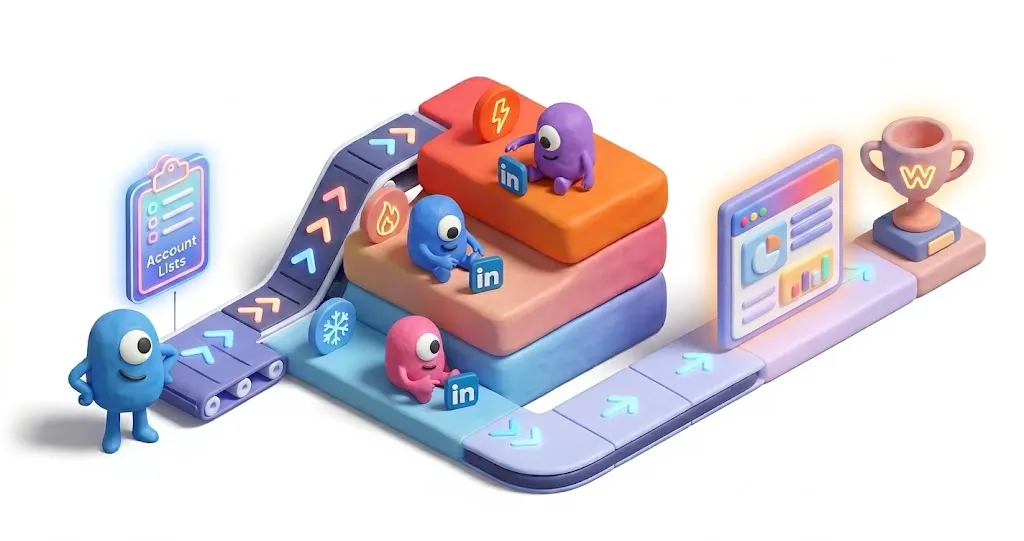
ABM is a system. And on LinkedIn, that system has three layers that need to work together, plus a landing page strategy that almost nobody gets right.
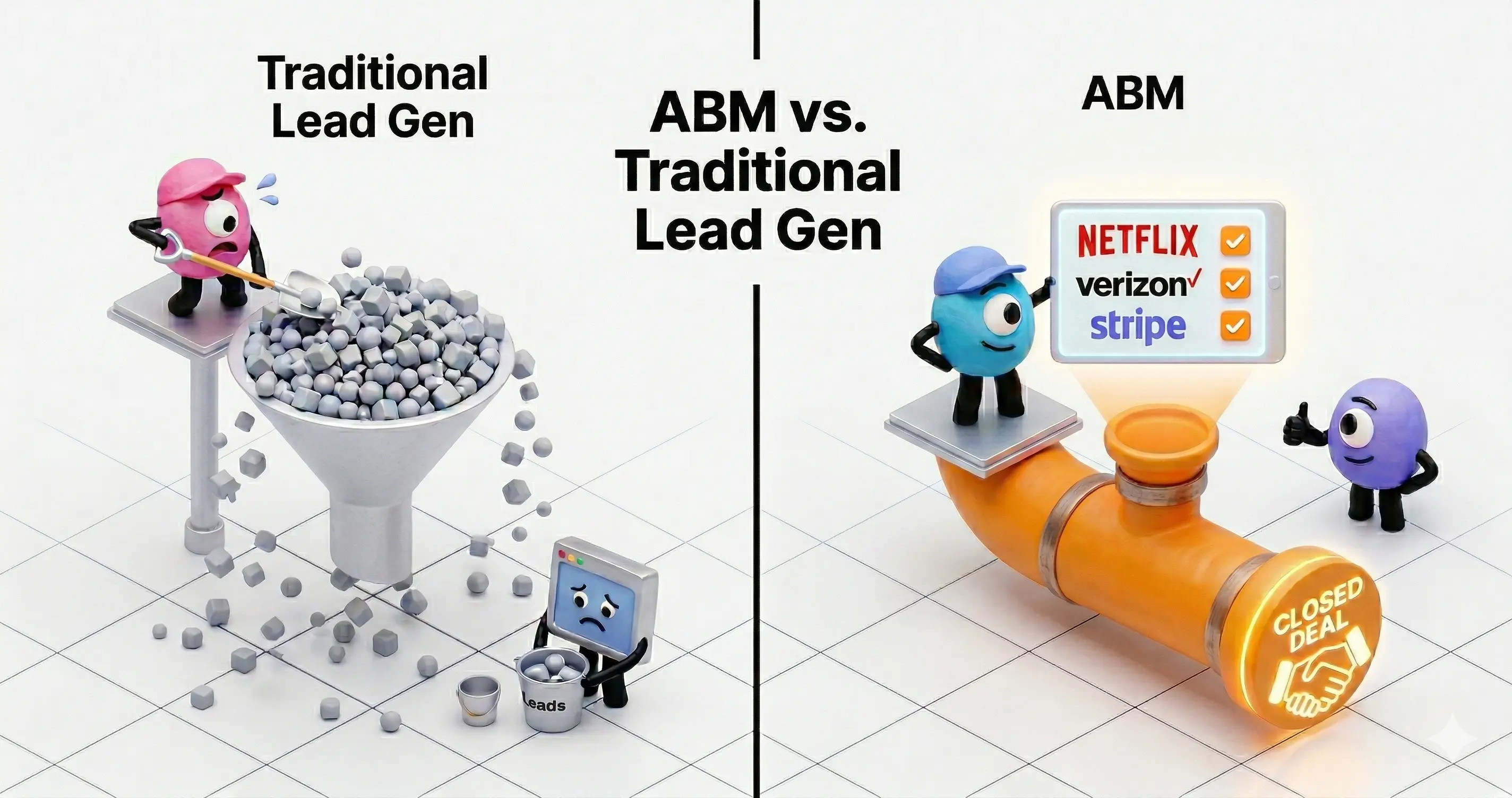
ABM flips the funnel
Traditional marketing: cast a wide net → generate MQLs → hand to sales → pray they're qualified. ABM: sales and marketing agree on target accounts together → focus all efforts on those accounts → MQLs and SQLs are the same thing.
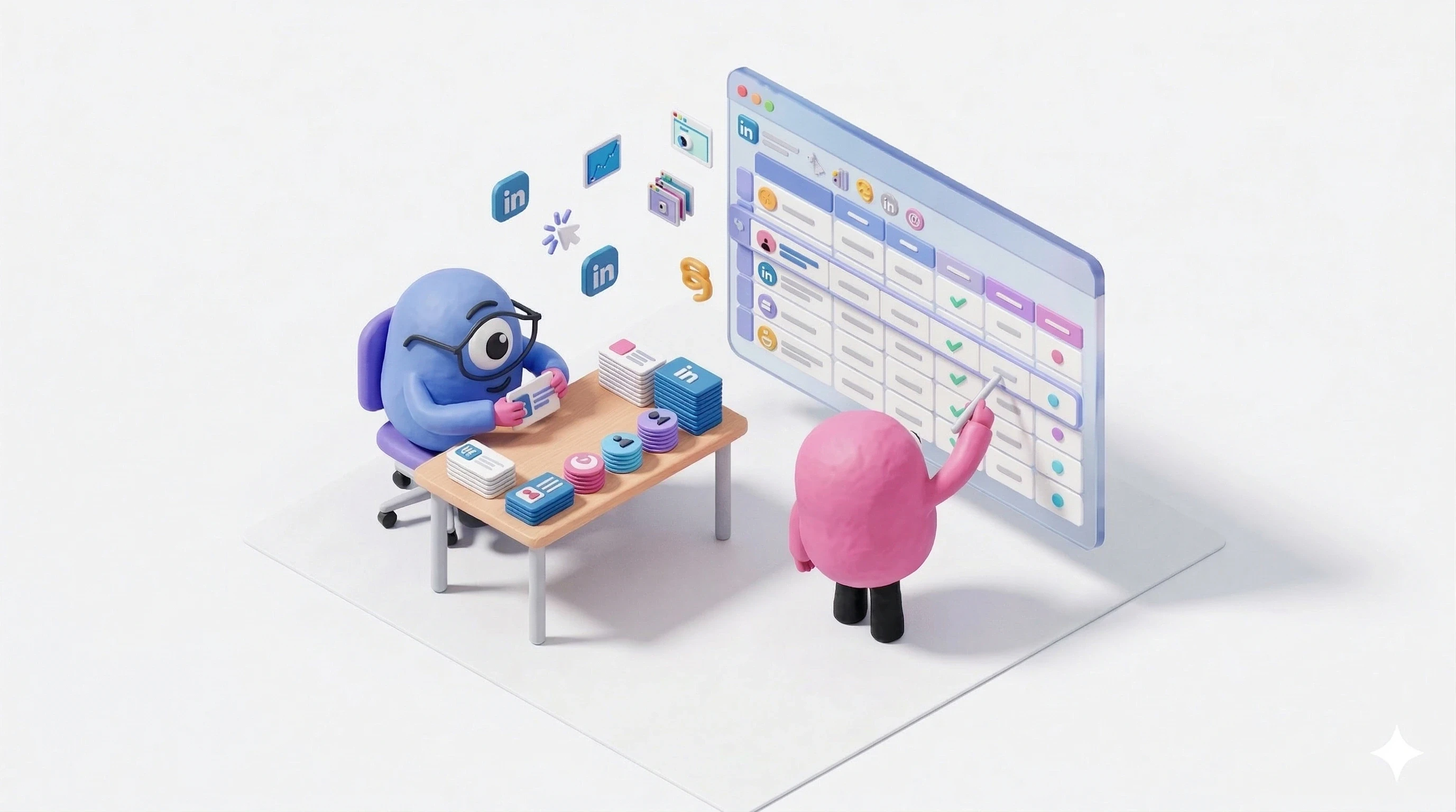
Step 1: Build Your Target Account Lists
Everything starts here. Get your list wrong, and every campaign you build on top of it will underperform, no matter how good your creative is.
Tier your accounts
Not every target account deserves the same investment. Here's how to think about it:
Tier | Account Count | Strategy | Personalization Level |
|---|---|---|---|
Tier 1: Strategic | 50–100 accounts | Highest frequency, premium placements, clustered by industry or pain point | 1:1 or 1:few → deep personalization |
Tier 2: Target | 100–500 accounts | Segmented by use case or vertical. Balanced reach and relevance | 1:few → industry-level personalization |
Tier 3: Scale | 500+ accounts | Broader ICP-based targeting. Volume-driven | 1:many → ICP-level personalization |
A reality check worth repeating: true 1:1 account personalization doesn't work at the LinkedIn ad level. Audience sizes get too small. Costs spike.
The minimum audience size to run ads on LinkedIn is 300 members. Below that, your CPMs go through the roof. So cluster accounts by shared attributes ( industry, pain point, company size, tech stack) for "1:few" campaigns at the ad level.
Where 1:1 actually works? The landing page. But we'll get there.
How to upload your list
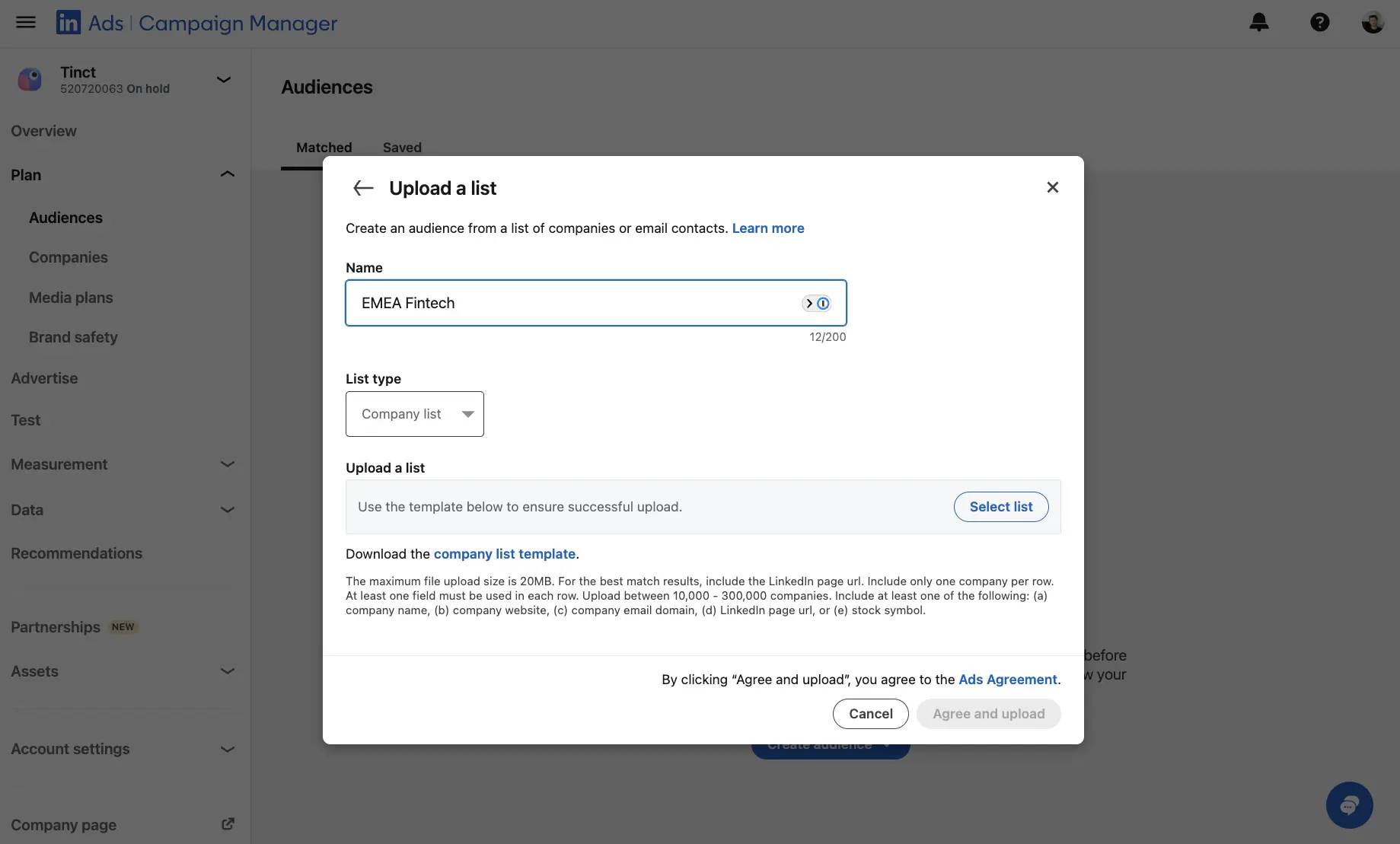
Go to Campaign Manager → Plan → Audiences → Create audience → Company list.
Here's a detail most guides skip: LinkedIn's company name matching is terrible. You'll get 30–50% match rates if you rely on names alone.
Instead, use a tool like Clay to enrich your list with LinkedIn Company URLs. Use the column header 'linkedincompanypage' in your CSV. That gets you to 90%+ match rates.
The difference is enormous.
Create separate lists for each tier. Wait 24–48 hours for LinkedIn to process.
Step 2: Structure Your Campaigns by Funnel Stage
You're not running one campaign. You're building a funnel.
Three layers. Each with its own objective, targeting, ad format, and budget.
The 60/25/15 budget rule
Funnel Stage | Budget | Goal | Targeting | Ad Formats |
|---|---|---|---|---|
COLD (TOFU) | 60% | Build awareness. Educate on problems you solve. No conversion asks. | ABM account lists + Job Function + Seniority | Video Ads, Thought Leader Ads, Single Image (educational), Carousel |
WARM (MOFU) | 25% | Deepen engagement with people who already know you. Build credibility. | Retargeting: video viewers, site visitors, ad engagers | Document Ads, Case Studies, Webinar invites, Comparison guides |
HOT (BOFU) | 15% | Convert high-intent prospects. They need proof, not education. | CRM retargeting (MQLs, SQLs), demo/pricing page visitors | Lead Gen Forms, Testimonials, Direct CTA ads |
Yes. 60% of your budget goes to the cold layer.
That feels wrong if you're used to performance marketing. But this is ABM. You're investing in accounts that will buy over months, not days. The top of the funnel builds the retargeting pools that feed the bottom.
In Campaign Manager, set up three campaign groups:
S01_TOFU_Cold → 60% of total spend
S02_MOFU_Warm → 25% of total spend
S03_BOFU_Hot → 15% of total spend
The 'S01/S02/S03' prefix makes them sort alphabetically by funnel stage. Small detail. Big quality-of-life improvement.
Never use 'Lead generation' as your objective for cold audiences. It inflates costs and tanks quality. Save conversion asks for people who actually know your name.
Step 3: Build Your Cold Layer (TOFU)
The cold layer is where most ABM programs die.
Either teams skip it entirely. Or they run the wrong creative: conversion ads on people who've never heard of them. You wouldn't propose on a first date. Don't ask for a demo from a stranger.
Campaign setup:
S01_TOFU_Cold group → Create campaign
Objective: 'Brand awareness' or 'Video views'
Audience: Your ABM Account List
Layer targeting: Job Function + Seniority (Manager+)
Ad format: Video Ads or Single Image (educational)
Bid strategy: Maximum delivery (you're optimising for reach)
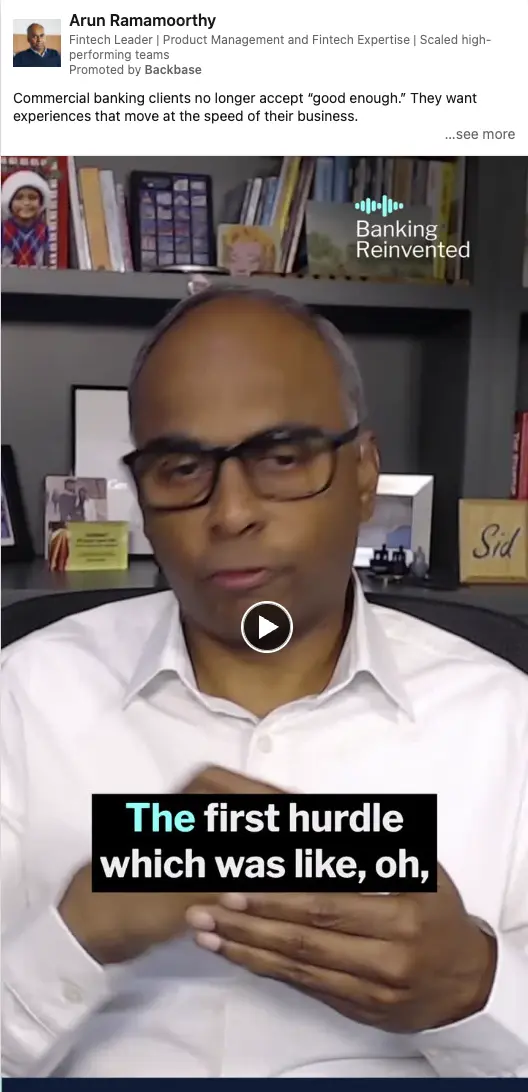
What cold creative should look like: Educational. Thought-provoking. Story-driven. No CTAs. No "Book a demo." No "Download our whitepaper." These people don't know you yet.
The goal? Show up consistently enough that when they see your warm-layer content, they recognise you.
Thought Leader Ads work particularly well here. According to the ZenABM Benchmarks Report and based on over 160,000 ads from 211 ABM users, top-performing cold ads shared a few traits: real people photos (zero stock imagery), strong visual contrast, and specific claims instead of vague value propositions.
Use Job Function over Job Titles for targeting. Titles are inconsistent across companies. Functions give you broader, more reliable reach.
Run cold campaigns for 2–4 weeks before launching anything else. You need this time to build retargeting pools.
Step 4: Create Your Retargeting Audiences
Before you launch your warm layer, you need audiences to retarget.
Go to Plan → Audiences → Create audience → Retargeting. Build these:
Video viewers → people who watched 50%+ of your video ads (last 90 days)
Website visitors → requires the LinkedIn Insight Tag on your site
Lead Gen Form openers → opened but didn't submit
Company Page visitors → people who visited your LinkedIn Page
Ad engagers → clicked on any TOFU ads (last 90 days)
Without these, you're running conversion campaigns on stone-cold accounts. That's how you burn through €5,000/month with nothing to show for it.

Install the LinkedIn Insight Tag. Now.
Go to Analyze → Insight Tag → Install my Insight Tag. Copy the JavaScript, add it to your website's <head> section (or use Google Tag Manager). Verify with LinkedIn's tag helper Chrome extension. Without it, you can't retarget website visitors or track conversions. Non-negotiable for ABM.
Step 5: Build Your Warm Layer (MOFU)
The people seeing these ads already engaged with your brand. They watched your video. Visited your site. Clicked an ad.
Now you need to earn trust.
Campaign setup:
S02_MOFU_Warm group → Create campaign
Objective: 'Website visits' or 'Engagement'
Audience: Retargeting audiences from Step 4
Layer with ABM list: AND your Account List (keeps it ABM-focused)
Exclusions: Exclude BOFU audiences (CRM lists, demo visitors)
Ad format: Document Ads, Carousel, Single Image with case study
Audience expansion: OFF — keep it tight
The content shift matters. You're moving from "here's a problem you might have" to "here's proof we can solve it." Case studies. Comparison guides. Detailed how-tos. Anything that builds credibility and shows depth.
Step 6: Build Your Hot Layer (BOFU)
For the hot layer, you need CRM contact lists.
Go to Plan → Audiences → Create audience → Contact list. Export contacts from your CRM (HubSpot, Salesforce, whatever) and segment by stage: MQLs, SQLs, opportunities, past demo requests.
Your CSV needs email addresses. LinkedIn matches by email. Expect a 30–60% match rate. Personal emails won't match, you need work emails.
Campaign setup:
S03_BOFU_Hot group → Create campaign
Objective: 'Lead generation' or 'Website conversions'
Audience: CRM contact lists + high-intent retargeting
Exclusions: Exclude existing customers + closed-lost (last 90 days)
Ad format: Lead Gen Forms, direct CTA ads, testimonial-style
Bid strategy: Cost cap or manual CPC
Lead Gen Forms: 3–4 fields max. Pre-filled fields (LinkedIn does this automatically for logged-in users) dramatically increase completion rates.
Step 7: Set Up Audience Exclusions (Non-Negotiable)
This is where most ABM setups break down.
Without exclusions, people see ads from multiple funnel stages at the same time. Your warm leads see awareness ads (wasted budget). Your cold prospects see "Book a demo" (wasted creative, annoyed prospect).
Cold campaigns: Exclude all retargeting audiences + CRM lists. Only truly cold prospects see these.
Warm campaigns: Exclude CRM lists + demo page visitors. Only engagers who haven't expressed high intent yet.
Hot campaigns: Exclude existing customers + closed-lost. Only high-intent, unconverted prospects.
Without this, you're paying for confused messaging. Confused prospects don't convert.
Step 8: Launch in Sequence
Don't launch all three layers at once. Follow this order:
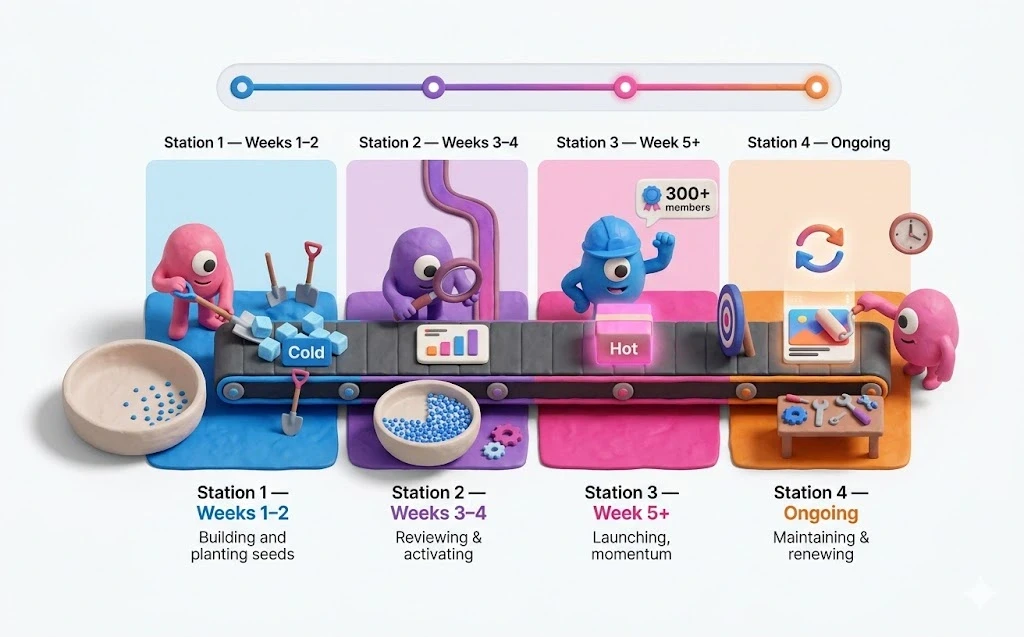
Weeks 1–2: Launch Cold layer only. Build retargeting pools.
Weeks 3–4: Review engagement. Launch Warm layer.
Week 5+: Warm audiences hit 300+ members → Launch Hot layer.
Ongoing: Refresh creative every 4–6 weeks to prevent ad fatigue.
Budget reality: Minimum $3,000–5,000/month (€2,600-4,325/month) for a full-funnel ABM program. Below that, you won't generate enough data across three layers. LinkedIn isn't a cheap channel. It's a precision channel. The ROI comes from converting fewer, higher-value accounts, not from volume.
LinkedIn is expensive because B2B buying decisions are expensive. A single closed deal can be worth $50K–500K. That's why ABM math works, even at $10+ per click.
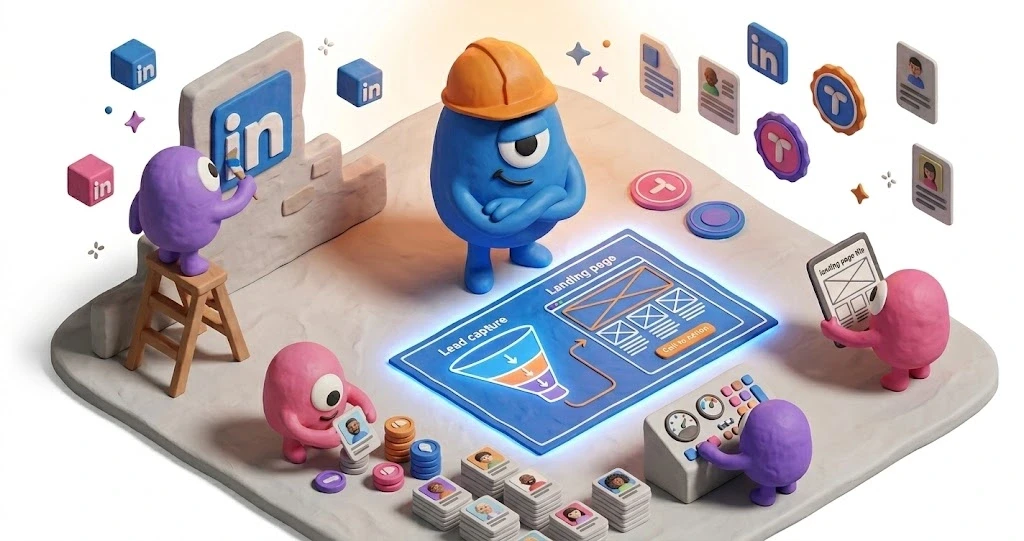
Step 9: The Part Almost Everyone Skips → Personalise the Landing Page
Here's the uncomfortable truth.
You've built a beautiful ABM system. Tiered lists. Three-layer funnel. Proper exclusions. Sequenced launch.
Then you send every single click from every account, every industry, every company size… to the same generic landing page.
Same headline. Same value prop. Same case studies. Same social proof.
A fintech VP sees the same page as a healthcare CMO. A 20-person startup sees the same thing as a 5,000-person enterprise.
This is where all your targeting precision goes to die.
And the data backs this up. Research from CXL shows that pairing targeted ads with matching personalised landing pages lifts conversion rates by 15–30%. Personalised CTAs alone convert 42% more visitors than generic ones. Message consistency between ads and landing pages can boost conversions 25–35%.
Think about it from the prospect's perspective. They just saw an ad that spoke to their challenge. They click. And they land on a page built for everyone and no one. That disconnect kills trust. It feels like bait-and-switch.
"The math is simple. Your LinkedIn Ads cost €10 per click. Your generic page converts at 2%. That's €500 per lead. Personalise that page, lift conversions to even 4% (conservative) and you've cut your cost per lead in half. Same spend. Double the pipeline."

Jean Bonnenfant
CMO at Tinct AI
Why most teams don't personalise
They know it works. But the execution is brutal.
Building individual landing pages for 50, 100, or 500 target accounts? That's weeks of manual work. Or it's a €30–40K/year enterprise ABM platform that requires sales calls, implementation teams, and months to get live.
For most B2B teams, neither option is realistic.
There's a simpler way
Tinct AI generates personalised landing pages for every company on your target list. Automatically.
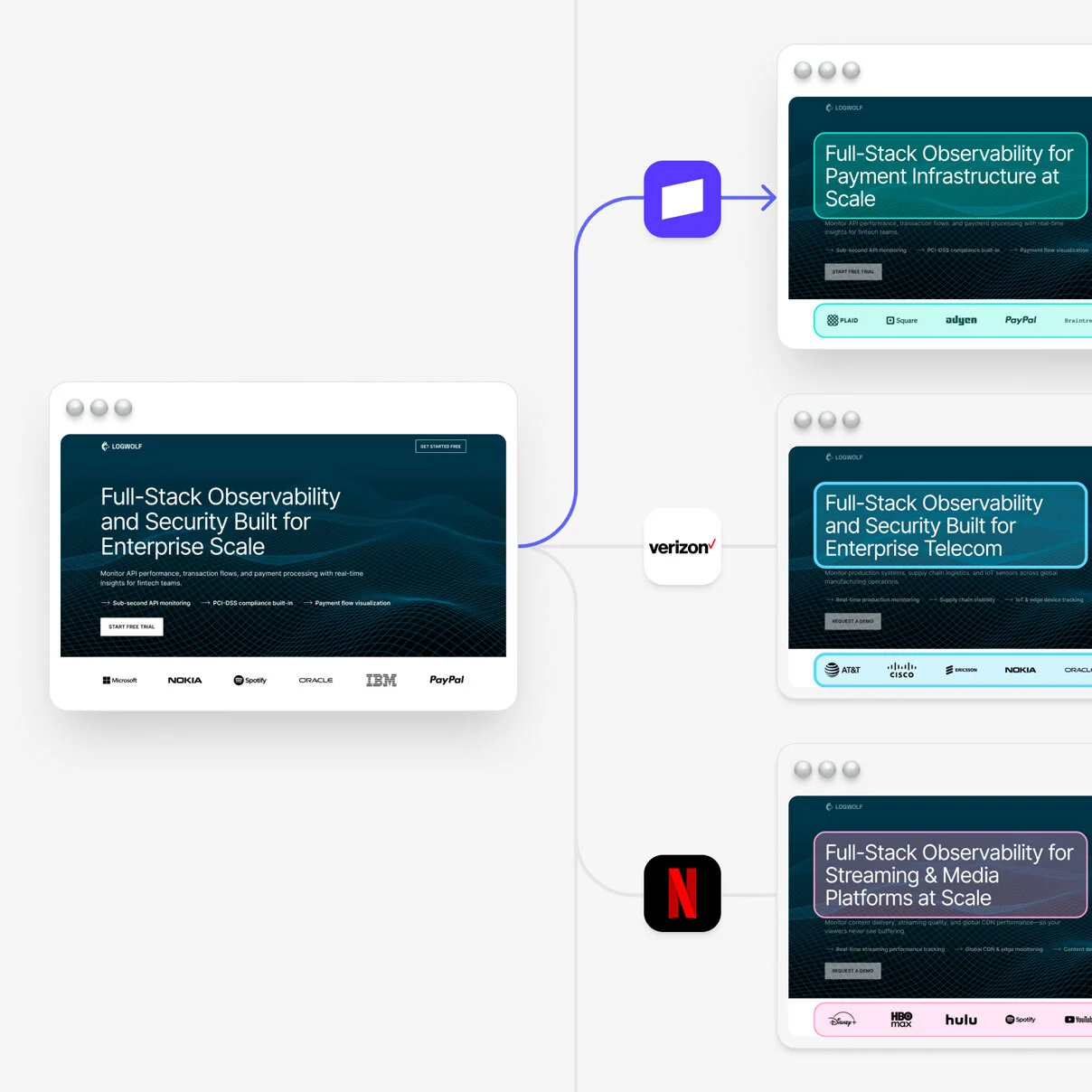
It researches each target company (industry, pain points, context) then creates a tailored version of your landing page. Not gimmicky "Hi {Company_Name}" personalization that actually hurts conversions. Real, relevant messaging: a fintech prospect sees fintech use cases and proof points. A healthcare prospect sees something completely different.
Setup takes under 30 minutes. Upload your account list (or connect HubSpot/Salesforce/Attio). Give Tinct your positioning and brand context. It generates the pages. You review and approve everything before anything goes live.
The technical part that matters: Tinct uses DOM injection. Same URL, different experience. Your analytics stay clean. Your SEO stays intact. Your ads keep working. Non-target visitors see your original page. No broken experiences, no flicker, no redirect.
What This Looks Like When Everything Connects
When the system works (tiered lists, full-funnel structure, proper exclusions, sequenced launch, personalised landing pages the results compound.
Your cold layer builds awareness with the right accounts.
Your warm layer deepens engagement with people who already recognise your brand.
Your hot layer converts prospects who are ready to act.
And every click lands on a page that speaks directly to their world.
According to Gartner, the average B2B buying decision involves 6–10 stakeholders. Each brings their own research, priorities, and concerns. Your landing page doesn't just need to convince the person who clicked, it needs to survive being shared internally. A page that references their industry's specific challenges and uses relevant case studies has a far better chance of passing that test.
That's the difference between ABM as a buzzword and ABM as a revenue engine.
FAQ
What is account based marketing on LinkedIn?

Account based marketing (ABM) on LinkedIn is a B2B strategy where sales and marketing teams agree on specific target companies, then use LinkedIn's ad platform to engage those accounts with tailored messaging across funnel stages. Instead of casting a wide net, you focus budget and creative on the accounts most likely to become high-value customers. LinkedIn's targeting — by company name, job function, seniority, and industry — makes it the most effective platform for ABM execution.
How much budget do I need to start ABM on LinkedIn?
Minimum $3,000–5,000 per month for a full-funnel program. Below that, you won't build meaningful retargeting pools or see statistically significant results. CPCs on LinkedIn run $8–20 for B2B audiences, CPMs sit $33–65 depending on targeting. This isn't a cheap channel — it's a precision channel. The ROI comes from fewer, higher-value deals.
How many target accounts should I start with?
Start with 100–300 accounts across your tiers. Fewer than that and LinkedIn audiences get too small to serve ads efficiently (remember the 300-member minimum). More than 1,000 and you risk diluting personalization. Sweet spot for most teams: Tier 1 of 50–100 strategic accounts, Tier 2 of 100–200 for scale.
How long does ABM on LinkedIn take to show results?
Expect 6–12 weeks before meaningful pipeline data. Weeks 1–2 are purely retargeting pool building. Weeks 3–4 you launch warm. Week 5+ hot layer runs. ABM deals typically have longer sales cycles but higher close rates and deal sizes. Don't judge it on week-one CPL numbers, judge it on pipeline over a quarter.
What's the biggest ABM mistake on LinkedIn?
Two things, equally destructive. First: skipping the cold layer and running conversion ads on accounts that have never heard of you. Second: sending all that precisely targeted traffic to a generic landing page. The first wastes your ad budget. The second wastes the traffic that budget bought.
What is the difference between 1:1, 1:few, and 1:many ABM?
1:1 means fully personalised experiences for individual accounts. 1:few means grouping similar accounts by industry or pain point and personalising at the segment level. 1:many means broader ICP-based targeting with lighter personalization. Most teams should start with 1:few at the ad level and 1:1 at the landing page level — which is exactly what tools like Tinct AI are built for.
Most B2B teams start ABM on LinkedIn the wrong way.
They upload a list of dream accounts to Campaign Manager. Run a few single image ads. Wait for pipeline.
Nothing happens. No meetings. No demos. Just a lighter budget and a vague feeling that ABM is "not for us."
It is for you. You're just missing the structure.
ABM on LinkedIn isn't a campaign. It's a system: account lists, funnel stages, budget allocation, audience exclusions, and a launch sequence that builds on itself over time. Skip a step and the whole thing underperforms.
This guide walks you through the full setup. Step by step. From building your first account list to structuring a three-layer funnel to the one part of the system that 90% of teams skip entirely.
The same structure I've used running ABM LinkedIn Ads for 8 years.
What Is Account Based Marketing on LinkedIn?
Account based marketing (ABM) is a B2B strategy where marketing and sales agree on specific target companies, then focus all their efforts on engaging those accounts.
Not casting a wide net. Not hoping the right people show up. Choosing exactly who you want as customers, then building everything around reaching them.
LinkedIn is the natural home for this.
It's the only major ad platform where you can target by company name, job function, seniority, and industry. All at once. According to LinkedIn's own data, 4 out of 5 members drive business decisions. With over 1.3 billion members globally, even niche B2B audiences exist at meaningful scale.
It's also expensive. CPCs run $8–20 (€7–18). CPMs sit $33–65 (€30–60). And those costs climb 3–8% every year. Which means every click is precious and wasting them on a generic landing page is criminal. We'll also talk about that later.
But here's where most teams get it wrong.
They hear "ABM," upload a list of dream accounts, run a few ads, and expect pipeline. That's not ABM. That's just targeting.
ABM is a system. And on LinkedIn, that system has three layers that need to work together, plus a landing page strategy that almost nobody gets right.
ABM flips the funnel
Traditional marketing: cast a wide net → generate MQLs → hand to sales → pray they're qualified. ABM: sales and marketing agree on target accounts together → focus all efforts on those accounts → MQLs and SQLs are the same thing.
Step 1: Build Your Target Account Lists
Everything starts here. Get your list wrong, and every campaign you build on top of it will underperform, no matter how good your creative is.
Tier your accounts
Not every target account deserves the same investment. Here's how to think about it:
Tier | Account Count | Strategy | Personalization Level |
|---|---|---|---|
Tier 1: Strategic | 50–100 accounts | Highest frequency, premium placements, clustered by industry or pain point | 1:1 or 1:few → deep personalization |
Tier 2: Target | 100–500 accounts | Segmented by use case or vertical. Balanced reach and relevance | 1:few → industry-level personalization |
Tier 3: Scale | 500+ accounts | Broader ICP-based targeting. Volume-driven | 1:many → ICP-level personalization |
A reality check worth repeating: true 1:1 account personalization doesn't work at the LinkedIn ad level. Audience sizes get too small. Costs spike.
The minimum audience size to run ads on LinkedIn is 300 members. Below that, your CPMs go through the roof. So cluster accounts by shared attributes ( industry, pain point, company size, tech stack) for "1:few" campaigns at the ad level.
Where 1:1 actually works? The landing page. But we'll get there.
How to upload your list
Go to Campaign Manager → Plan → Audiences → Create audience → Company list.
Here's a detail most guides skip: LinkedIn's company name matching is terrible. You'll get 30–50% match rates if you rely on names alone.
Instead, use a tool like Clay to enrich your list with LinkedIn Company URLs. Use the column header 'linkedincompanypage' in your CSV. That gets you to 90%+ match rates.
The difference is enormous.
Create separate lists for each tier. Wait 24–48 hours for LinkedIn to process.
Step 2: Structure Your Campaigns by Funnel Stage
You're not running one campaign. You're building a funnel.
Three layers. Each with its own objective, targeting, ad format, and budget.
The 60/25/15 budget rule
Funnel Stage | Budget | Goal | Targeting | Ad Formats |
|---|---|---|---|---|
COLD (TOFU) | 60% | Build awareness. Educate on problems you solve. No conversion asks. | ABM account lists + Job Function + Seniority | Video Ads, Thought Leader Ads, Single Image (educational), Carousel |
WARM (MOFU) | 25% | Deepen engagement with people who already know you. Build credibility. | Retargeting: video viewers, site visitors, ad engagers | Document Ads, Case Studies, Webinar invites, Comparison guides |
HOT (BOFU) | 15% | Convert high-intent prospects. They need proof, not education. | CRM retargeting (MQLs, SQLs), demo/pricing page visitors | Lead Gen Forms, Testimonials, Direct CTA ads |
Yes. 60% of your budget goes to the cold layer.
That feels wrong if you're used to performance marketing. But this is ABM. You're investing in accounts that will buy over months, not days. The top of the funnel builds the retargeting pools that feed the bottom.
In Campaign Manager, set up three campaign groups:
S01_TOFU_Cold → 60% of total spend
S02_MOFU_Warm → 25% of total spend
S03_BOFU_Hot → 15% of total spend
The 'S01/S02/S03' prefix makes them sort alphabetically by funnel stage. Small detail. Big quality-of-life improvement.
Never use 'Lead generation' as your objective for cold audiences. It inflates costs and tanks quality. Save conversion asks for people who actually know your name.
Step 3: Build Your Cold Layer (TOFU)
The cold layer is where most ABM programs die.
Either teams skip it entirely. Or they run the wrong creative: conversion ads on people who've never heard of them. You wouldn't propose on a first date. Don't ask for a demo from a stranger.
Campaign setup:
S01_TOFU_Cold group → Create campaign
Objective: 'Brand awareness' or 'Video views'
Audience: Your ABM Account List
Layer targeting: Job Function + Seniority (Manager+)
Ad format: Video Ads or Single Image (educational)
Bid strategy: Maximum delivery (you're optimising for reach)
What cold creative should look like: Educational. Thought-provoking. Story-driven. No CTAs. No "Book a demo." No "Download our whitepaper." These people don't know you yet.
The goal? Show up consistently enough that when they see your warm-layer content, they recognise you.
Thought Leader Ads work particularly well here. According to the ZenABM Benchmarks Report and based on over 160,000 ads from 211 ABM users, top-performing cold ads shared a few traits: real people photos (zero stock imagery), strong visual contrast, and specific claims instead of vague value propositions.
Use Job Function over Job Titles for targeting. Titles are inconsistent across companies. Functions give you broader, more reliable reach.
Run cold campaigns for 2–4 weeks before launching anything else. You need this time to build retargeting pools.
Step 4: Create Your Retargeting Audiences
Before you launch your warm layer, you need audiences to retarget.
Go to Plan → Audiences → Create audience → Retargeting. Build these:
Video viewers → people who watched 50%+ of your video ads (last 90 days)
Website visitors → requires the LinkedIn Insight Tag on your site
Lead Gen Form openers → opened but didn't submit
Company Page visitors → people who visited your LinkedIn Page
Ad engagers → clicked on any TOFU ads (last 90 days)
Without these, you're running conversion campaigns on stone-cold accounts. That's how you burn through €5,000/month with nothing to show for it.
Install the LinkedIn Insight Tag. Now.
Go to Analyze → Insight Tag → Install my Insight Tag. Copy the JavaScript, add it to your website's <head> section (or use Google Tag Manager). Verify with LinkedIn's tag helper Chrome extension. Without it, you can't retarget website visitors or track conversions. Non-negotiable for ABM.
Step 5: Build Your Warm Layer (MOFU)
The people seeing these ads already engaged with your brand. They watched your video. Visited your site. Clicked an ad.
Now you need to earn trust.
Campaign setup:
S02_MOFU_Warm group → Create campaign
Objective: 'Website visits' or 'Engagement'
Audience: Retargeting audiences from Step 4
Layer with ABM list: AND your Account List (keeps it ABM-focused)
Exclusions: Exclude BOFU audiences (CRM lists, demo visitors)
Ad format: Document Ads, Carousel, Single Image with case study
Audience expansion: OFF — keep it tight
The content shift matters. You're moving from "here's a problem you might have" to "here's proof we can solve it." Case studies. Comparison guides. Detailed how-tos. Anything that builds credibility and shows depth.
Step 6: Build Your Hot Layer (BOFU)
For the hot layer, you need CRM contact lists.
Go to Plan → Audiences → Create audience → Contact list. Export contacts from your CRM (HubSpot, Salesforce, whatever) and segment by stage: MQLs, SQLs, opportunities, past demo requests.
Your CSV needs email addresses. LinkedIn matches by email. Expect a 30–60% match rate. Personal emails won't match, you need work emails.
Campaign setup:
S03_BOFU_Hot group → Create campaign
Objective: 'Lead generation' or 'Website conversions'
Audience: CRM contact lists + high-intent retargeting
Exclusions: Exclude existing customers + closed-lost (last 90 days)
Ad format: Lead Gen Forms, direct CTA ads, testimonial-style
Bid strategy: Cost cap or manual CPC
Lead Gen Forms: 3–4 fields max. Pre-filled fields (LinkedIn does this automatically for logged-in users) dramatically increase completion rates.
Step 7: Set Up Audience Exclusions (Non-Negotiable)
This is where most ABM setups break down.
Without exclusions, people see ads from multiple funnel stages at the same time. Your warm leads see awareness ads (wasted budget). Your cold prospects see "Book a demo" (wasted creative, annoyed prospect).
Cold campaigns: Exclude all retargeting audiences + CRM lists. Only truly cold prospects see these.
Warm campaigns: Exclude CRM lists + demo page visitors. Only engagers who haven't expressed high intent yet.
Hot campaigns: Exclude existing customers + closed-lost. Only high-intent, unconverted prospects.
Without this, you're paying for confused messaging. Confused prospects don't convert.
Step 8: Launch in Sequence
Don't launch all three layers at once. Follow this order:
Weeks 1–2: Launch Cold layer only. Build retargeting pools.
Weeks 3–4: Review engagement. Launch Warm layer.
Week 5+: Warm audiences hit 300+ members → Launch Hot layer.
Ongoing: Refresh creative every 4–6 weeks to prevent ad fatigue.
Budget reality: Minimum $3,000–5,000/month (€2,600-4,325/month) for a full-funnel ABM program. Below that, you won't generate enough data across three layers. LinkedIn isn't a cheap channel. It's a precision channel. The ROI comes from converting fewer, higher-value accounts, not from volume.
LinkedIn is expensive because B2B buying decisions are expensive. A single closed deal can be worth $50K–500K. That's why ABM math works, even at $10+ per click.
Step 9: The Part Almost Everyone Skips → Personalise the Landing Page
Here's the uncomfortable truth.
You've built a beautiful ABM system. Tiered lists. Three-layer funnel. Proper exclusions. Sequenced launch.
Then you send every single click from every account, every industry, every company size… to the same generic landing page.
Same headline. Same value prop. Same case studies. Same social proof.
A fintech VP sees the same page as a healthcare CMO. A 20-person startup sees the same thing as a 5,000-person enterprise.
This is where all your targeting precision goes to die.
And the data backs this up. Research from CXL shows that pairing targeted ads with matching personalised landing pages lifts conversion rates by 15–30%. Personalised CTAs alone convert 42% more visitors than generic ones. Message consistency between ads and landing pages can boost conversions 25–35%.
Think about it from the prospect's perspective. They just saw an ad that spoke to their challenge. They click. And they land on a page built for everyone and no one. That disconnect kills trust. It feels like bait-and-switch.
"The math is simple. Your LinkedIn Ads cost €10 per click. Your generic page converts at 2%. That's €500 per lead. Personalise that page, lift conversions to even 4% (conservative) and you've cut your cost per lead in half. Same spend. Double the pipeline."
Jean Bonnenfant
CMO at Tinct AI
Why most teams don't personalise
They know it works. But the execution is brutal.
Building individual landing pages for 50, 100, or 500 target accounts? That's weeks of manual work. Or it's a €30–40K/year enterprise ABM platform that requires sales calls, implementation teams, and months to get live.
For most B2B teams, neither option is realistic.
There's a simpler way
Tinct AI generates personalised landing pages for every company on your target list. Automatically.
It researches each target company (industry, pain points, context) then creates a tailored version of your landing page. Not gimmicky "Hi {Company_Name}" personalization that actually hurts conversions. Real, relevant messaging: a fintech prospect sees fintech use cases and proof points. A healthcare prospect sees something completely different.
Setup takes under 30 minutes. Upload your account list (or connect HubSpot/Salesforce/Attio). Give Tinct your positioning and brand context. It generates the pages. You review and approve everything before anything goes live.
The technical part that matters: Tinct uses DOM injection. Same URL, different experience. Your analytics stay clean. Your SEO stays intact. Your ads keep working. Non-target visitors see your original page. No broken experiences, no flicker, no redirect.
What This Looks Like When Everything Connects
When the system works (tiered lists, full-funnel structure, proper exclusions, sequenced launch, personalised landing pages the results compound.
Your cold layer builds awareness with the right accounts.
Your warm layer deepens engagement with people who already recognise your brand.
Your hot layer converts prospects who are ready to act.
And every click lands on a page that speaks directly to their world.
According to Gartner, the average B2B buying decision involves 6–10 stakeholders. Each brings their own research, priorities, and concerns. Your landing page doesn't just need to convince the person who clicked, it needs to survive being shared internally. A page that references their industry's specific challenges and uses relevant case studies has a far better chance of passing that test.
That's the difference between ABM as a buzzword and ABM as a revenue engine.
FAQ
What is account based marketing on LinkedIn?
Account based marketing (ABM) on LinkedIn is a B2B strategy where sales and marketing teams agree on specific target companies, then use LinkedIn's ad platform to engage those accounts with tailored messaging across funnel stages. Instead of casting a wide net, you focus budget and creative on the accounts most likely to become high-value customers. LinkedIn's targeting — by company name, job function, seniority, and industry — makes it the most effective platform for ABM execution.
How much budget do I need to start ABM on LinkedIn?
Minimum $3,000–5,000 per month for a full-funnel program. Below that, you won't build meaningful retargeting pools or see statistically significant results. CPCs on LinkedIn run $8–20 for B2B audiences, CPMs sit $33–65 depending on targeting. This isn't a cheap channel — it's a precision channel. The ROI comes from fewer, higher-value deals.
How many target accounts should I start with?
Start with 100–300 accounts across your tiers. Fewer than that and LinkedIn audiences get too small to serve ads efficiently (remember the 300-member minimum). More than 1,000 and you risk diluting personalization. Sweet spot for most teams: Tier 1 of 50–100 strategic accounts, Tier 2 of 100–200 for scale.
How long does ABM on LinkedIn take to show results?
Expect 6–12 weeks before meaningful pipeline data. Weeks 1–2 are purely retargeting pool building. Weeks 3–4 you launch warm. Week 5+ hot layer runs. ABM deals typically have longer sales cycles but higher close rates and deal sizes. Don't judge it on week-one CPL numbers, judge it on pipeline over a quarter.
What's the biggest ABM mistake on LinkedIn?
Two things, equally destructive. First: skipping the cold layer and running conversion ads on accounts that have never heard of you. Second: sending all that precisely targeted traffic to a generic landing page. The first wastes your ad budget. The second wastes the traffic that budget bought.
What is the difference between 1:1, 1:few, and 1:many ABM?
1:1 means fully personalised experiences for individual accounts. 1:few means grouping similar accounts by industry or pain point and personalising at the segment level. 1:many means broader ICP-based targeting with lighter personalization. Most teams should start with 1:few at the ad level and 1:1 at the landing page level — which is exactly what tools like Tinct AI are built for.